吃灰板子利旧系列--RK3566养马养虾及PicoLM体验
吃灰板子利旧系列–RK3566养马养虾及PicoLM体验
背景
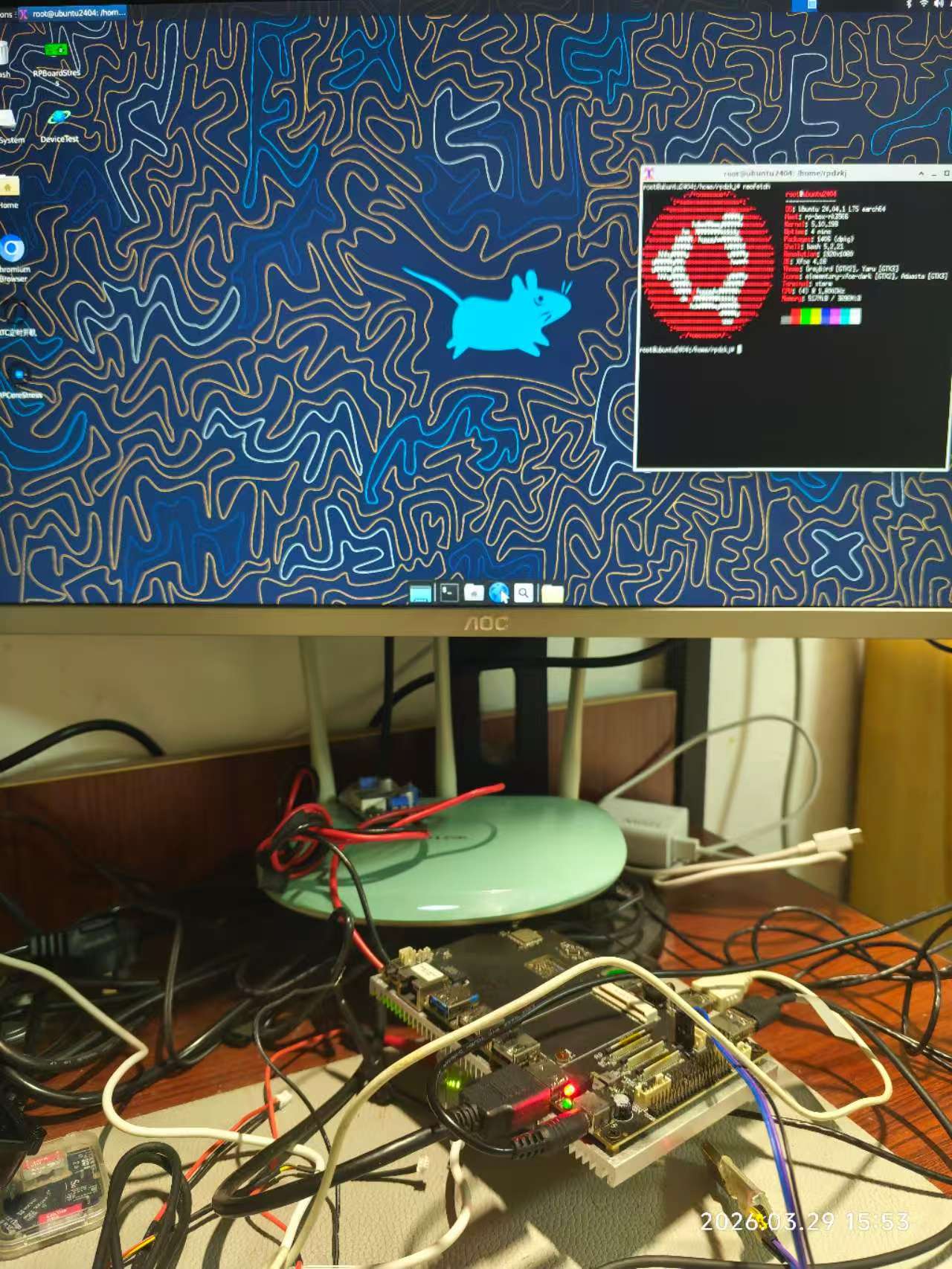
之前已经在吃灰的RK3566板子上已经装上了 Ubuntu 24.04 上,这个板子内存及存储充足,且CPU性能还行,所以最先考虑在上面养马Hermes-Agent,后面也尝试了一把 PicoClaw + PicoLM 组合。
养马Hermes-Agent
之前在Ubuntu笔记本上装 Hermes-Agent 用的 git 安装器:
curl -fsSL https://raw.githubusercontent.com/NousResearch/hermes-agent/main/scripts/install.sh | bash因为没有搭梯子,速度很慢,而且很不稳定,经常断,所以这次使用 pip 安装:
pip install hermes-agent
hermes postinstall     # 可选:安装 Node.js、浏览器、ripgrep、ffmpeg 并运行 setup
后面的步骤就跟之前一样了,这里就不赘述了,可参看之前的文章:
https://mp.weixin.qq.com/s/nNMpsWIrPlzFG3-C21lv9w
https://notes.z-dd.online/2026/06/16/%E5%90%83%E7%81%B0%E6%9D%BF%E5%AD%90%E5%88%A9%E6%97%A7%E7%B3%BB%E5%88%97–%E6%97%A7%E7%AC%94%E8%AE%B0%E6%9C%AC%E5%85%BB%E9%A9%ACHermes-Agent/
体验PicoLM
PicoLM is a minimal, from-scratch LLM inference engine written in ~2,500 lines of C11. It runs TinyLlama 1.1B (and other LLaMA-architecture models in GGUF format) on hardware that most inference frameworks won’t even consider:
- Raspberry Pi Zero 2W ($15, 512MB RAM, ARM Cortex-A53)
- Sipeed LicheeRV ($12, 512MB RAM, RISC-V)
- Raspberry Pi 3/4/5 (1-8GB RAM, ARM NEON SIMD)
- Any Linux/Windows/macOS x86-64 machine
The model file (638MB) stays on disk. PicoLM memory-maps it and streams one layer at a time through RAM. Total runtime memory: ~45MB including the FP16 KV cache.
                 ┌──────────────────────────────────────────┐
What goes        │         45 MB Runtime RAM                │
in RAM           │  ┌─────────┐ ┌──────────┐ ┌───────────┐  │
                 │  │ Buffers │ │ FP16 KV  │ │ Tokenizer │  │
                 │  │  1.2 MB │ │ Cache    │ │   4.5 MB  │  │
                 │  │         │ │  ~40 MB  │ │           │  │
                 │  └─────────┘ └──────────┘ └───────────┘  │
                 └──────────────────────────────────────────┘

                 ┌──────────────────────────────────────────┐
What stays       │        638 MB Model on Disk              │
on disk          │       (mmap — OS pages in layers         │
(via mmap)       │        as needed, ~1 at a time)          │
                 └──────────────────────────────────────────┘
PicoLM官方仓库: https://github.com/RightNow-AI/picolm
官方一键安装脚本:
curl -sSL https://raw.githubusercontent.com/RightNow-AI/picolm/main/install.sh | bash官方手动编译运行:
git clone https://github.com/rightnow-ai/picolm.git
cd picolm/picolm

# Auto-detect CPU (enables SSE2/AVX on x86, NEON on ARM)
make native

# Download a model
make model

# Run it
./picolm /opt/picolm/models/tinyllama-1.1b-chat-v1.0.Q4_K_M.gguf \
    -p "The meaning of life is" -n 100
因为没搭梯子,所以没法直接从 huggingface.co 下载模型,所以我就从国内的魔搭社区下载了一个相同的:https://www.modmodaelscope.cn/models/lefromage/TinyLlama-1.1B-Chat-v1.0-Q4_K_M-GGUF/files
实际跑出来的效果像以前的打字机一样:
这个还是稍微优化后的结果:~1.7 tok/s
Prefill: 6 tokens in 3.15s (1.9 tok/s)
Generation: 101 tokens in 57.85s (1.7 tok/s)
Total: 61.00s
Memory: 45.17 MB runtime state (FP16 KV cache)
于是就没有组合接入到 PicoClaw,而是直接让 PicoClaw 用云端大模型API了。
遇到的问题
因为是板子厂商定制的Ubuntu固件,可能环境存在一定的异常,整个过程遇到了下面一些问题:
无法升级包和装包
sudo apt update可以看到很多包可以升级,但实际没法升级包,upgrade报错:
The following packages have been kept back:
也没法安装新包,应该是没法升级包导致的包依赖问题,报错:
Some packages could not be installed解决:
检查是否有手动锁定的包:
apt-mark showhold发现几百个包都是手动锁定的,于是全部解除锁定:
apt-mark showhold | xargs sudo apt-mark unhold然后就可以顺利升级包和安装包了。
无法用 pip 装包
用 pip 装包时报错:
This environment is externally managed解决:
sudo apt install python3.12-venv

# 创建虚拟环境
python3 -m venv venv

# 激活虚拟环境
source venv/bin/activate

# 现在可以安全地安装包了
pip install <包名> 微信
微信 支付宝
支付宝



欢迎关注公众号: